Garage Door Remotes: Types, Compatibility and Programming
Posted by MN Garage Notes Editorial Team Reviewer: MN Garage Notes Editorial Team Most recently reviewed Published In Garage doors
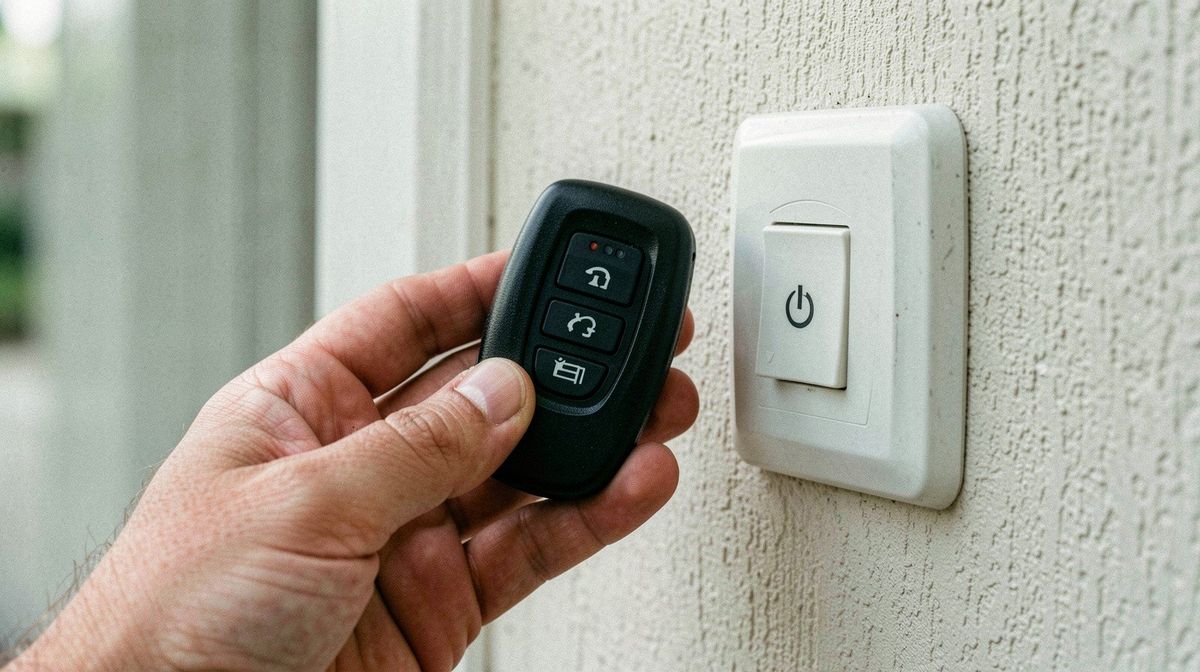
A garage door opener remote is a small radio transmitter paired to your opener's receiver. Compatibility depends on the opener's radio type and learn-button procedure, both found in the owner's manual or on the unit label. If a remote fails, check the battery, range and wall button before suspecting the opener. Never bypass the safety sensors.
Belongs to the guide: Garage Doors: Types, Materials, Sizes and Openers
Safety note. Background reading only. Treat it as no stand-in for your owner’s manual, the maker’s install sheet, your local building and fire code, or a licensed tradesperson. A garage can hold carbon monoxide, open flame, live circuits, wound springs and solvent fumes. The Garage Notes team checked each claim against the sources listed on this page; it holds no trade licence.
A garage door remote does one narrow job: it sends a radio signal that your opener already knows. This page is part of our garage doors guide and covers choosing, pairing and troubleshooting remotes. If the door itself will not move, go to opener troubleshooting.
What types of garage door remotes are there?
Remotes are mostly handheld transmitters, car-visor or built-in vehicle transmitters, keypads and app-based controllers. The key technical difference is how they send codes.
- Fixed-code (older): sends the same code each press, so a recorded signal could be replayed.
- Rolling-code: changes its code after every use, so a recorded signal cannot be replayed, as DASMA explains.
- Keypad: a wall or outdoor panel with a PIN.
- App or smart controller: a hub that connects to the opener; check the maker’s compatibility list.
How do you identify your opener and its frequency?
Read the label on the motor unit and the owner’s manual. Note the model number, the learn-button location and color, and the approved remote list. Do not guess from a retailer photo; the manual is the authority.
Universal or brand-specific remotes?
A universal remote is a remote the maker says works with several opener brands. It is compatible only if it lists your opener’s model and radio system. A brand-specific remote is paired by the same maker and usually the safer match. We name no products.
How do you program a remote?
Follow your owner’s manual; steps differ by opener. The general flow is the same.
- Put the opener in its learn mode, usually with the learn button on the motor unit.
- Within the time window in the manual, press the remote button you want to use.
- Wait for the signal the manual describes, typically a light flash or a click.
- Test from several steps back with the door clear of people and objects.
Stay clear of the door while testing. Do not stand or leave pets or children in its path.
What if the remote stopped working?
Work in order: battery, line of sight and range, wall button, power to the opener, and pairing.
- Replace the battery with the type the manual names.
- Try the wall button. If it works, the opener is healthy.
- Move closer; metal, LED lighting or other radios can reduce range.
- Re-pair the remote following the manual.
If the wall button does not work either, the problem is the opener, not the remote. See opener troubleshooting.
Security basics after a lost remote
Clear all paired remotes from the opener’s memory per the manual, then re-pair only the ones you still have. Keep remotes out of children’s reach, and lock your vehicle outside; DASMA advises both. CPSC also advises mounting the wall button as high as practical to keep it away from children.
When the problem is the opener, not the remote
If the door reverses, lights blink, or the opener hums without moving, do not keep reprogramming remotes. These point to sensors, limits or hardware. Never disable the photo eyes or reverse feature. CPSC says openers must reverse and have external entrapment protection; the standard is 16 CFR Part 1211, which incorporates UL 325 by reference. Door springs and cables are a stop-and-hire topic: door springs.
Related guides
Frequently asked questions
How do I know which remote fits my garage door opener?
Start with the opener's model number and learn-button color or label on the motor unit, then check the owner's manual for approved remote models. A remote must match the opener's radio system. If the label is worn away, ask the opener manufacturer's support with the model number rather than guessing from a retailer listing.
Will a universal garage door remote work on any opener?
Not always. Universal remotes list the opener brands and radio types they support, and some older or newer rolling-code systems need a specific setup. Read the remote's compatibility chart against your opener's model and manual. If the chart does not name your opener, assume it will not work, and contact the opener maker.
Why did my garage remote stop working?
Common causes are a weak battery, distance or interference, a remote that lost its pairing, or an opener that has lost power. Try the wall button first: if it works, the opener is fine and the remote is the problem. If neither works, see our opener troubleshooting page.
How do I reset my garage door opener codes?
Many openers clear all paired remotes with a hold of the learn button, and then each remote you keep must be re-paired. The exact steps and timing differ by model, so follow your owner's manual. Resetting after a lost remote is sensible, because the old remote would otherwise still open the door.
How long do remote batteries last?
No source we opened gives a lifespan, and it varies with the cell type and how often you use the remote. If range drops or you must press several times, replace the battery with the type printed in the remote's battery compartment or manual before assuming the remote has failed.
Can I use my phone to open the garage?
Some openers and add-on controllers offer app control, but support depends on your opener and the controller's compatibility list. Follow the manufacturer's setup instructions, keep the safety sensors working, and secure the home network. We do not recommend a particular brand. The opener's safety reversal must remain in place.
Sources and further reading
- CPSC: Non-Reversing Automatic Garage Door Openers Are a Hazard (Pub. 523) (cpsc.gov)
- DASMA: Garage Door Opener Safety Tips (dasma.com)
- 16 CFR Part 1211: Safety Standard for Automatic Residential Garage Door Operators (Cornell LII) (law.cornell.edu)
- 16 CFR Part 1211 on eCFR: effective date and incorporated standards (ecfr.gov)
- DASMA: Garage Door Systems Safety Tips (dasma.com)
Related articles
- Garage Doors: Types, Materials, Sizes and Openers
Plain-English guide to garage doors: door types, materials, standard sizes, openers, what to inspect, and which spring and cable jobs need a technician.
- Garage Door Opener Not Working: Troubleshooting
Step-by-step checks when a garage door opener will not work: power, wall button, remote, manual release and safety sensors, plus when to call a technician.
- Common Garage Door Problems and Safe Fixes
Diagnose a garage door that will not open, sits crooked, shakes or is noisy: what you can check safely, what to leave alone, and when to call a pro.
- Standard Garage Door Sizes and Measuring
Standard single and double garage door widths and heights, how to measure width, height, headroom and side room, and when you need a custom size.
- Garage Door Springs: Torsion vs Extension and Safety
What garage door torsion and extension springs do, how to spot a worn or broken one, and why spring and cable work is for a trained technician only.